What Is Web Crawling? How Bots Discover Every Page on Your Site
Web crawlers (spiders, bots) are programs that systematically browse websites by following links. Learn how they work, how people use them, and how VibeShield uses crawling to find security issues across your entire site — not just the one page you scanned.
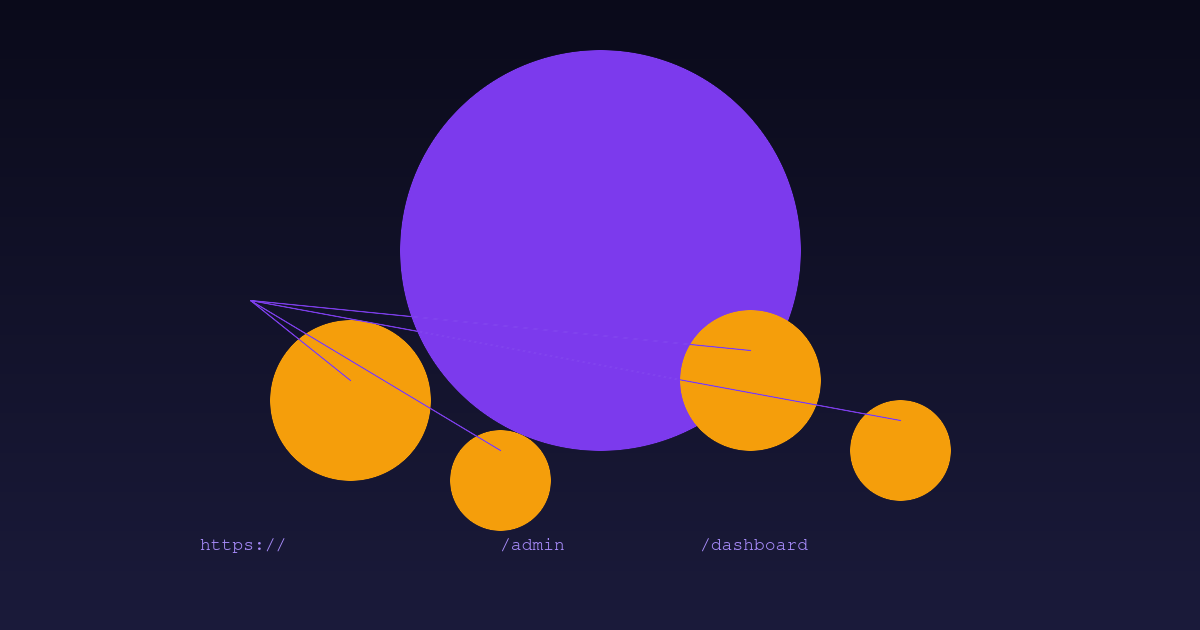
Last week a founder scanned their landing page with a security tool. Clean score, no issues found. They shipped to production feeling safe.
Their /admin panel had an exposed API key. Their old /staging environment still had debug mode on. Their blog had a comment form vulnerable to XSS.
None of these showed up because they only scanned the homepage.
Single-page scans catch roughly 15% of vulnerabilities. The other 85% hide on pages you forgot existed.
What is a web crawler?
A web crawler — also called a spider or bot — is a program that visits web pages and follows every link it finds. It starts with a list of URLs (called "seeds") and works outward, building a map of everything it discovers.
Think of it like exploring a house. A single-page scan opens the front door and looks around. A crawler enters every room, checks every closet, and opens every drawer.
The name "spider" comes from how crawlers navigate the web. They follow threads (links) between pages, building a web of connections that looks a lot like a spider's web. The bot sits at the center, systematically working its way outward.
How do crawlers work?
The process is simpler than it sounds:
-
Start with seed URLs. The crawler begins with one or more starting points — usually the homepage.
-
Fetch and parse. The crawler downloads the page HTML and extracts every link: navigation menus, footer links, embedded resources, internal references to other pages.
-
Build the queue. New URLs get added to a list of pages to visit. The crawler skips duplicates, external domains, and anything you tell it to ignore.
-
Follow and repeat. For each URL in the queue, the crawler visits the page, parses it for more links, and adds those to the queue.
-
Stop when done. The crawler stops when it runs out of new pages, hits a page limit, or reaches a depth limit (how many link-hops from the starting page).
Good crawlers respect robots.txt — a file site owners use to tell bots which pages to skip. They also throttle requests so they don't overwhelm the server.
How people use crawlers
Web crawling isn't just one thing. Different crawlers serve different purposes:
| Use case | Example | What it does |
|---|---|---|
| Search indexing | Googlebot | Discovers and indexes every page on the web so they show up in search results |
| SEO auditing | Screaming Frog | Crawls your site to find broken links, missing meta tags, duplicate content |
| Price monitoring | Retail bots | Tracks competitor prices across thousands of product pages |
| Security scanning | VibeShield | Visits every page on your site and runs security checks on each one |
| Data collection | Research crawlers | Gathers data from public websites for analysis or training |
Googlebot is the most famous crawler — it's the reason your site shows up in search results. Without crawlers, Google wouldn't know your site exists.
Why single-page scanning isn't enough
Here's a scenario that plays out every day:
You build an app. You scan the homepage. It looks clean. You ship.
But your app has 20+ pages: a login page, a dashboard, a settings panel, an API docs page, a blog, an old staging environment you forgot to take down, and an admin panel you built for internal use.
Each of those pages has its own HTML, its own JavaScript, its own API calls — and its own potential vulnerabilities. A homepage scan checks exactly one of them.
The math is brutal: if your site has 10 pages and you scan the homepage, you're checking 10% of your attack surface. If it has 50 pages, you're checking 2%.
How VibeShield uses crawling
VibeShield's crawl mode (available on the Pro plan) works like this:
-
Start with your URL. You provide a starting point — usually your app's homepage.
-
Discover pages. The crawler reads your sitemap (if you have one), follows internal links, and probes common paths like
/login,/dashboard,/api,/admin. -
Scan every page. Each discovered page gets the same full security scan: header checks, secret detection, CORS audit, injection patterns, information disclosure.
-
Build the full report. Results from every page are combined into a single report showing which vulnerabilities exist where.
The crawler stops after 50 pages and respects a 1-request-per-second rate limit so it doesn't hammer your server. It stays on your domain — it won't wander off to external sites.
What crawling catches that single scans miss
Hidden pages tend to accumulate vulnerabilities because nobody looks at them:
- Old staging environments with debug mode enabled and test credentials exposed
- Admin panels that were built quickly and never hardened
- API documentation pages that leak endpoint details and authentication schemes
- Blog comment forms with XSS vulnerabilities that persist for months
- Error pages that expose stack traces, server versions, and internal paths
- Login pages with missing security headers because "it's just a form"
A single-page scan sees none of these. A crawler finds them in seconds.
Summary
- Web crawlers (spiders, bots) follow links to discover every page on a website
- They're used for everything from Google indexing to security scanning
- Single-page scans miss roughly 85% of vulnerabilities — they only check one entry point
- Crawling discovers forgotten pages where vulnerabilities accumulate: staging environments, admin panels, old blog forms
- VibeShield Pro automatically crawls your site, scanning every page for security issues
Scan your entire site — not just the homepage. Try VibeShield for free — first scan costs nothing, no account needed.